Skip to content

Software for tint, PPF and ceramic coating shops

Run your shop from one place.

Send a proposal. Book the job. Get paid. Your customer signs one link.

Free for one user. No time limit.

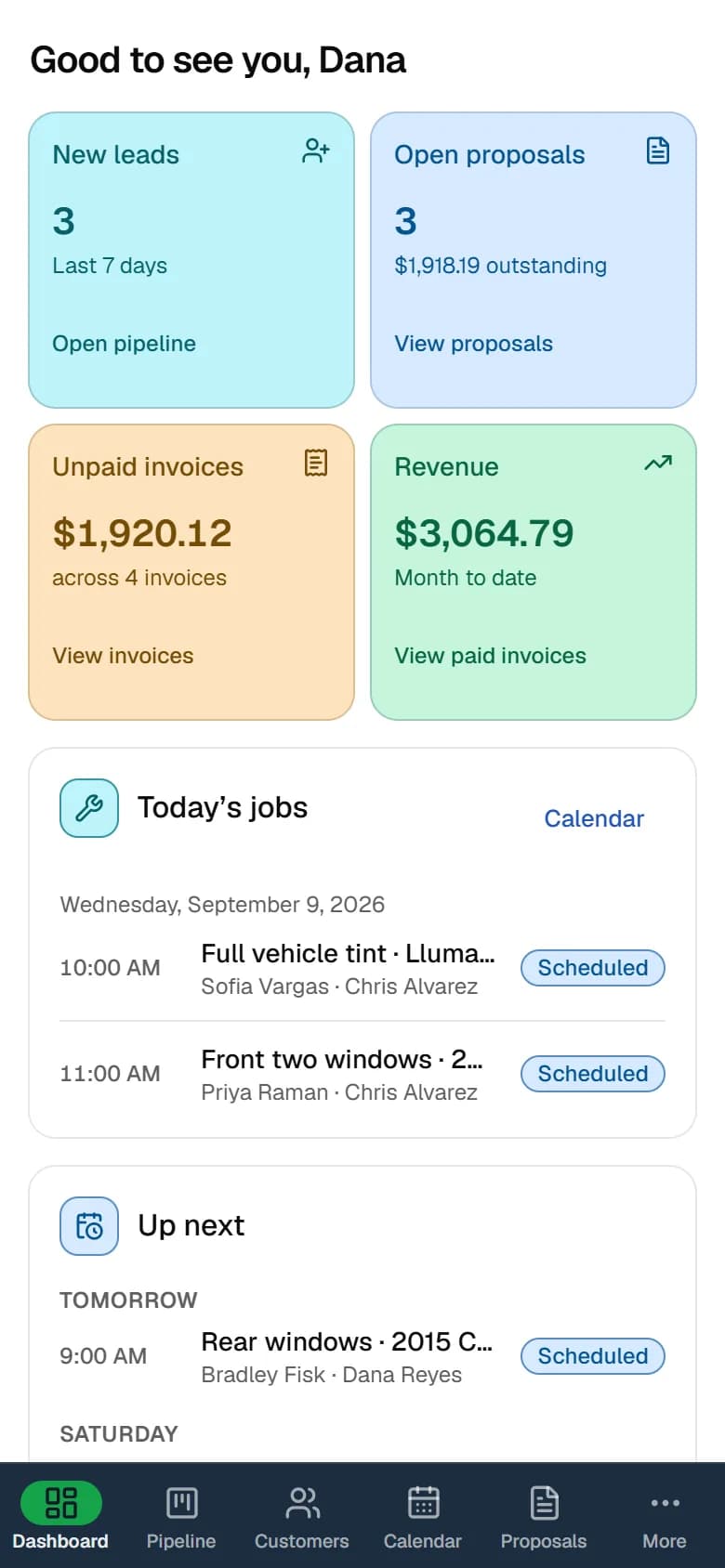
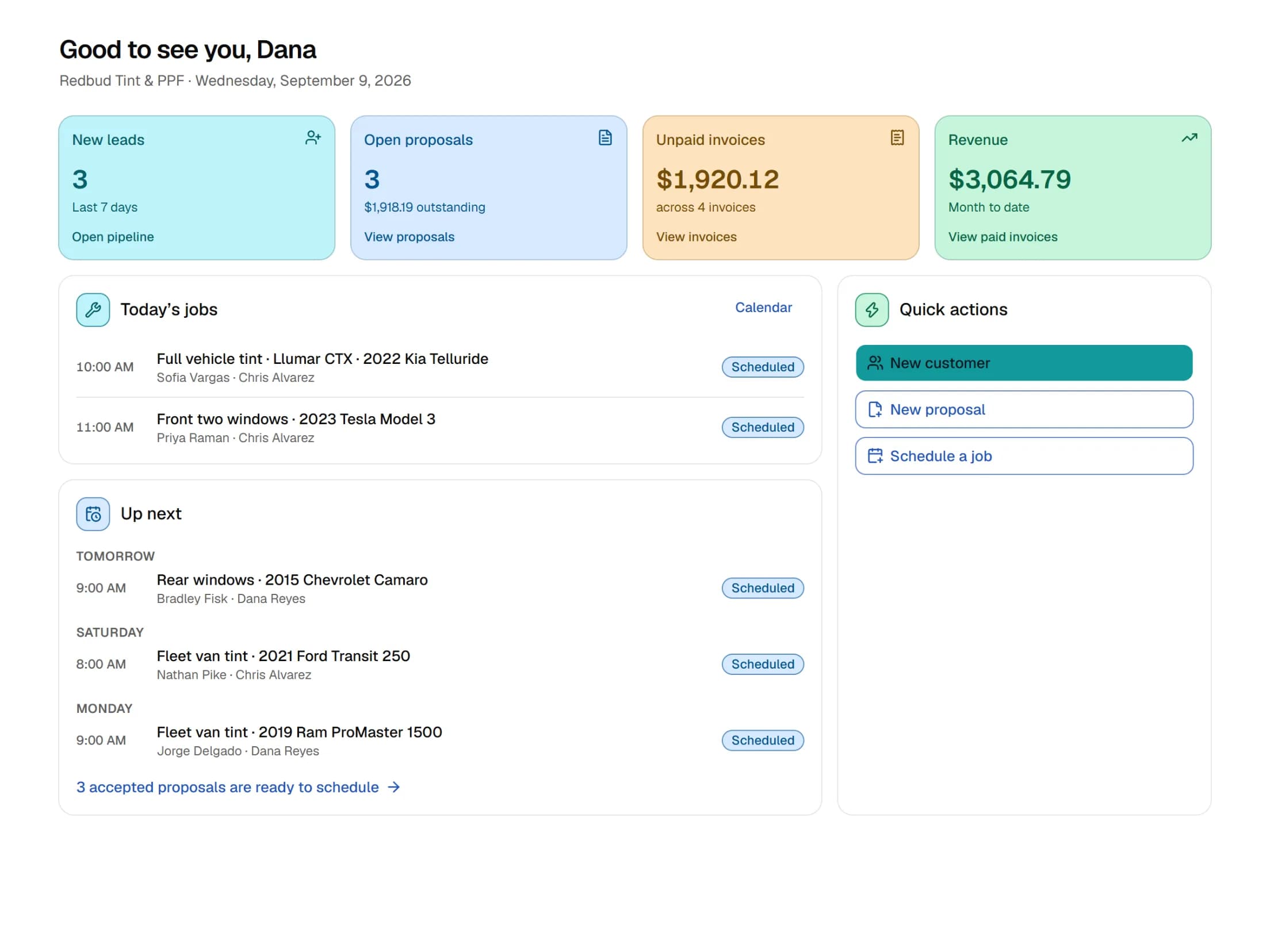
The TintDeck dashboard on a phone: new leads, open proposals, unpaid invoices, revenue and today’s jobs

Built for shops that do

  • Window tint
  • Paint protection film
  • Ceramic coating

What you get

The screens you use every day

Every picture here is the real app, not a mock-up.

Proposals

Proposals customers sign on their phone

Send up to three options in one link. Prices fill in from your price matrix. You get an email when the customer accepts or declines.
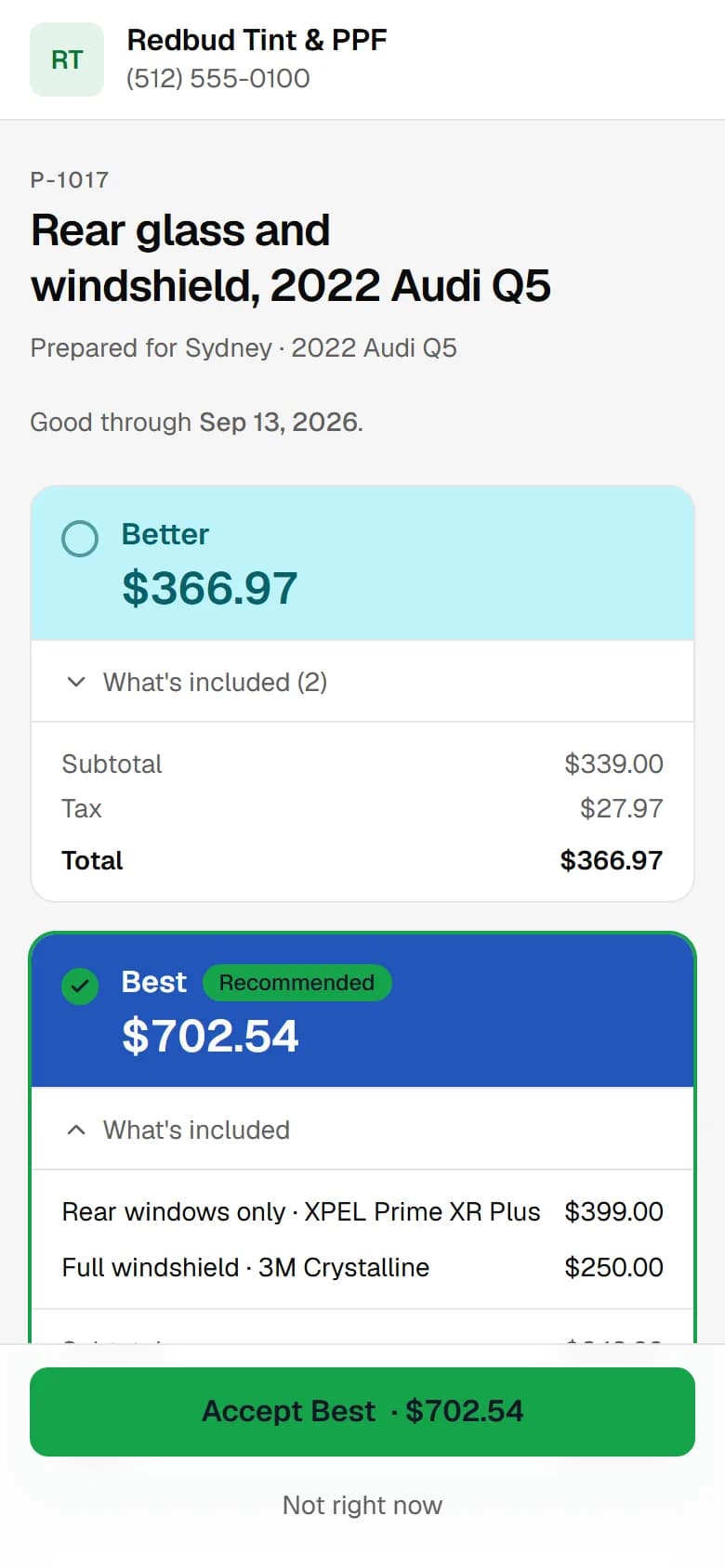
The proposal page a customer sees on their phone: Better and Best options with prices, and the Accept button

Calendar

One calendar for every tech

Day, week and month views, with a colour for each tech. The grid follows your shop hours and time zone. Accepted proposals wait in the Ready to schedule strip until you drag one onto a slot.
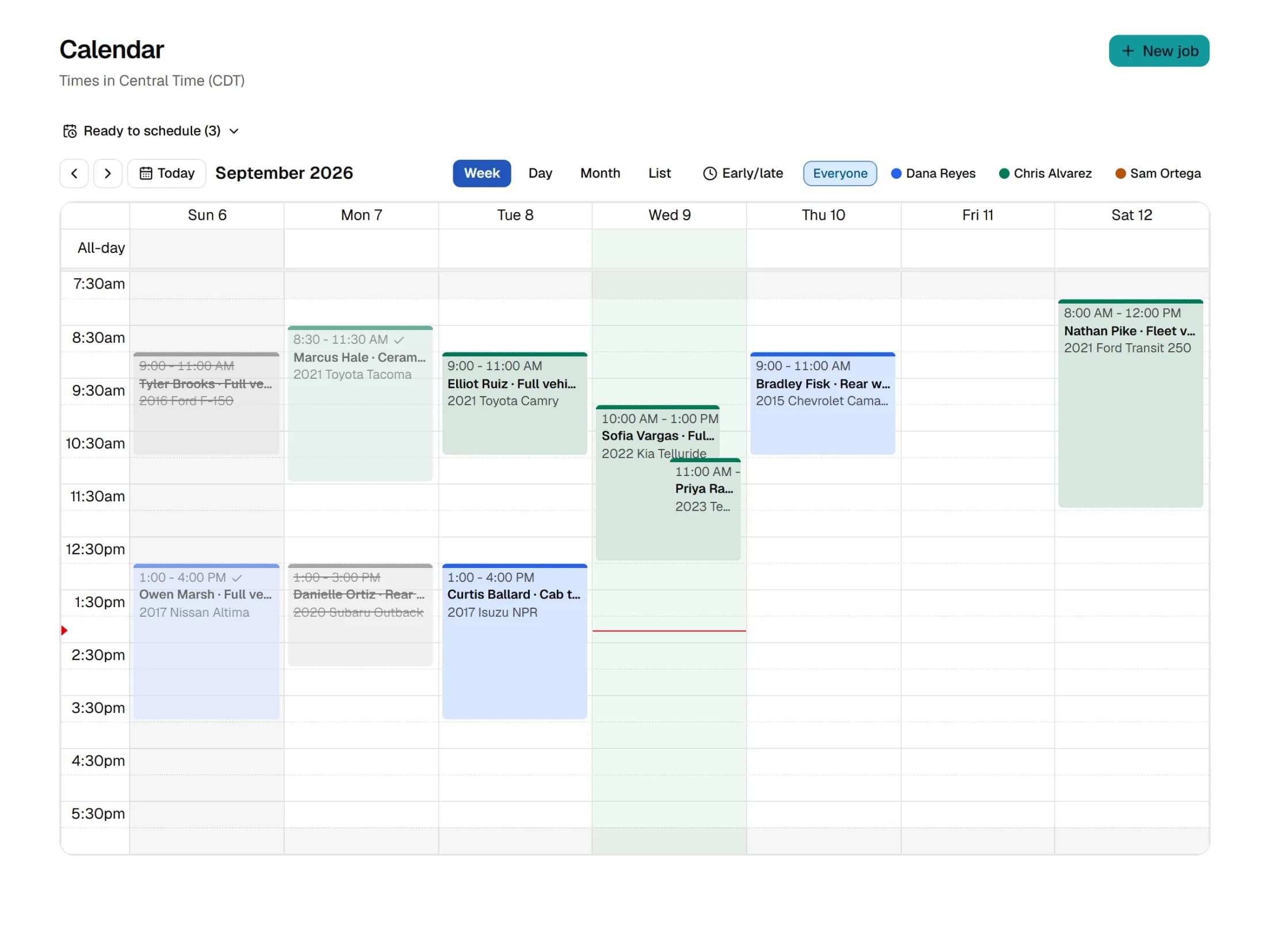
The calendar in week view with jobs coloured by technician and the shop hours shaded

Pipeline

Every lead on one board

Every call, walk-in and booking request becomes a card. Drag it across New, Contacted, Proposal sent, Scheduled and Won. A card moves to Won by itself when the customer accepts.
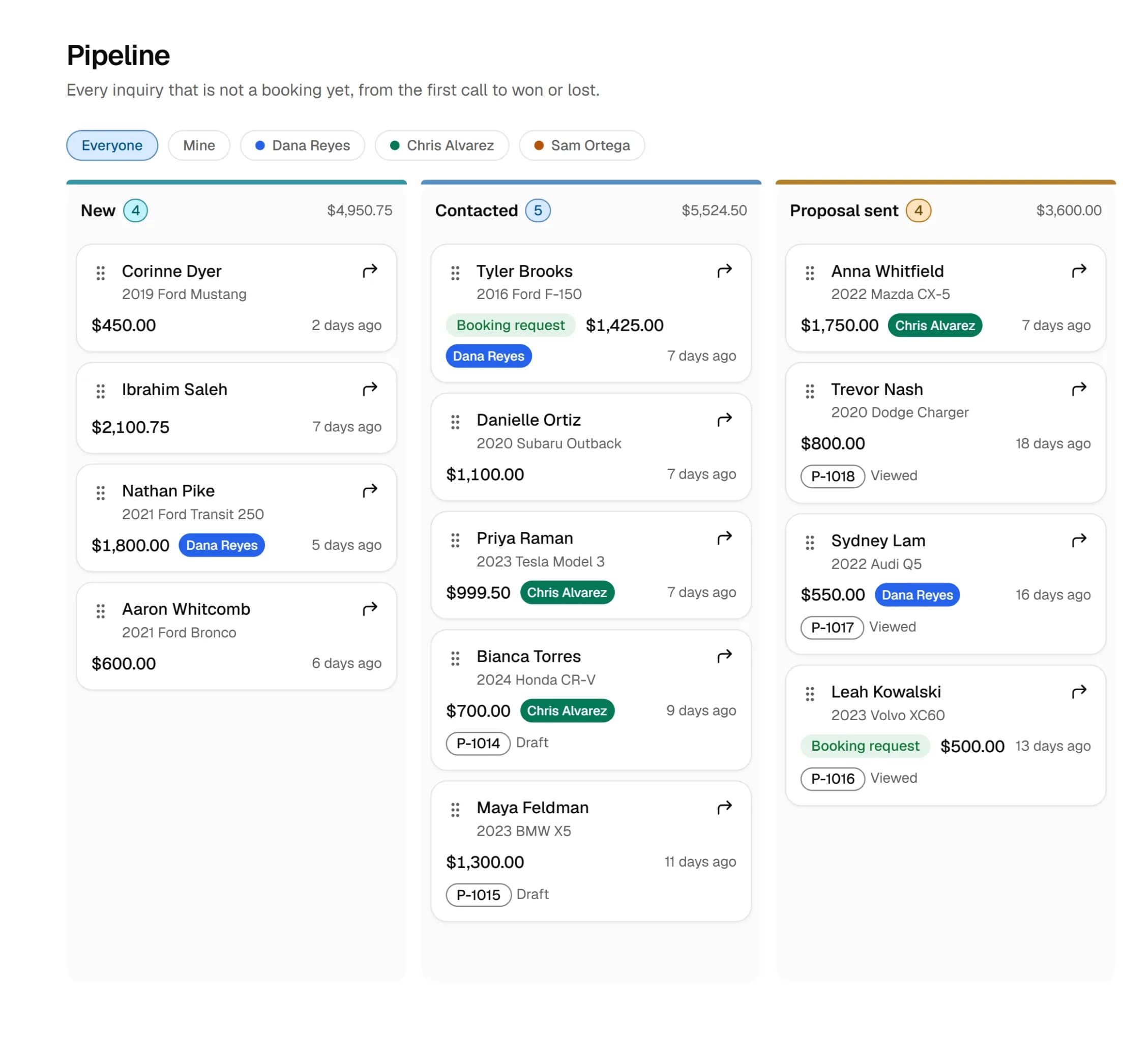
The first three columns of the leads pipeline, New, Contacted and Proposal sent, with lead cards showing the customer, vehicle, value and assigned tech

Invoices

Take a deposit, then the rest at pickup

Start an invoice from a job, from a signed proposal or from scratch. Record cash, card in person, check, Zelle or Venmo. The balance updates as you go. The customer gets a link to view it.
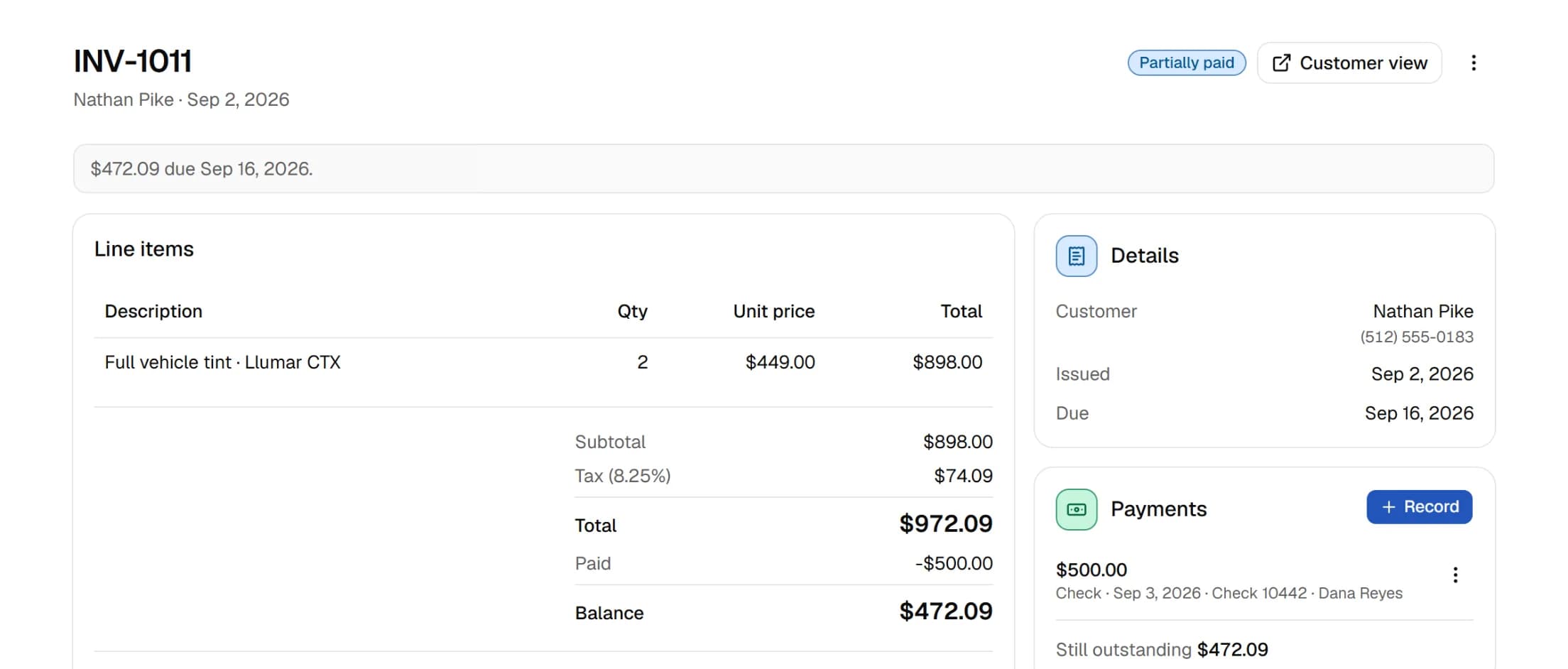
An invoice with line items, a recorded payment and the remaining balance

Customers

One page per customer

See their vehicles, proposals, jobs and invoices. A dated timeline shows what happened. Search by name or phone, and add your own tags.
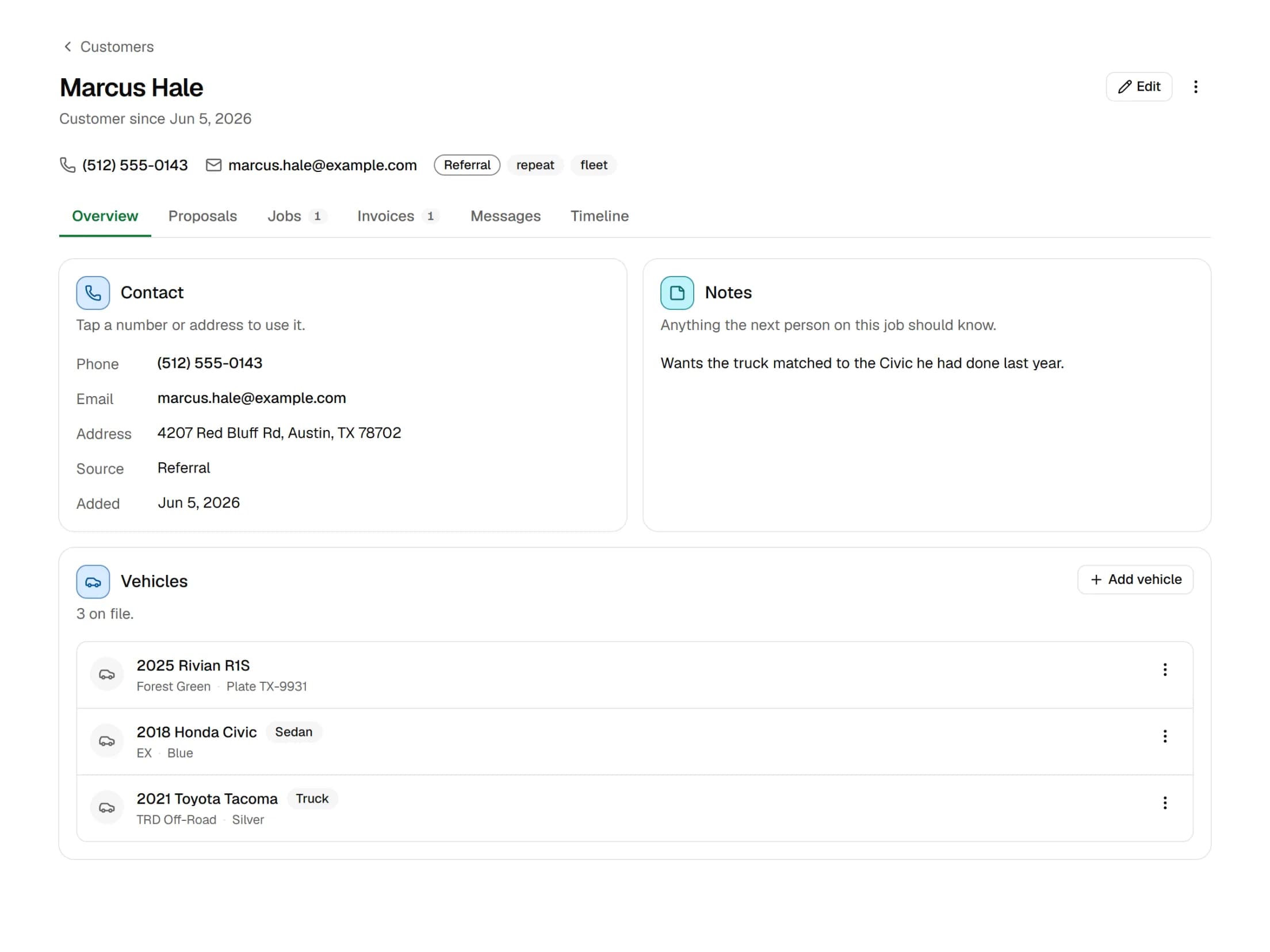
A customer page on its Overview tab: phone, email, tags, notes and three vehicles, with tabs for proposals, jobs, invoices and the timeline

Online booking

A booking page you can link anywhere

On Solo and Team your shop gets a public booking page with its own link. A request opens a lead on your pipeline. You get an email. Turn it off in settings any time.
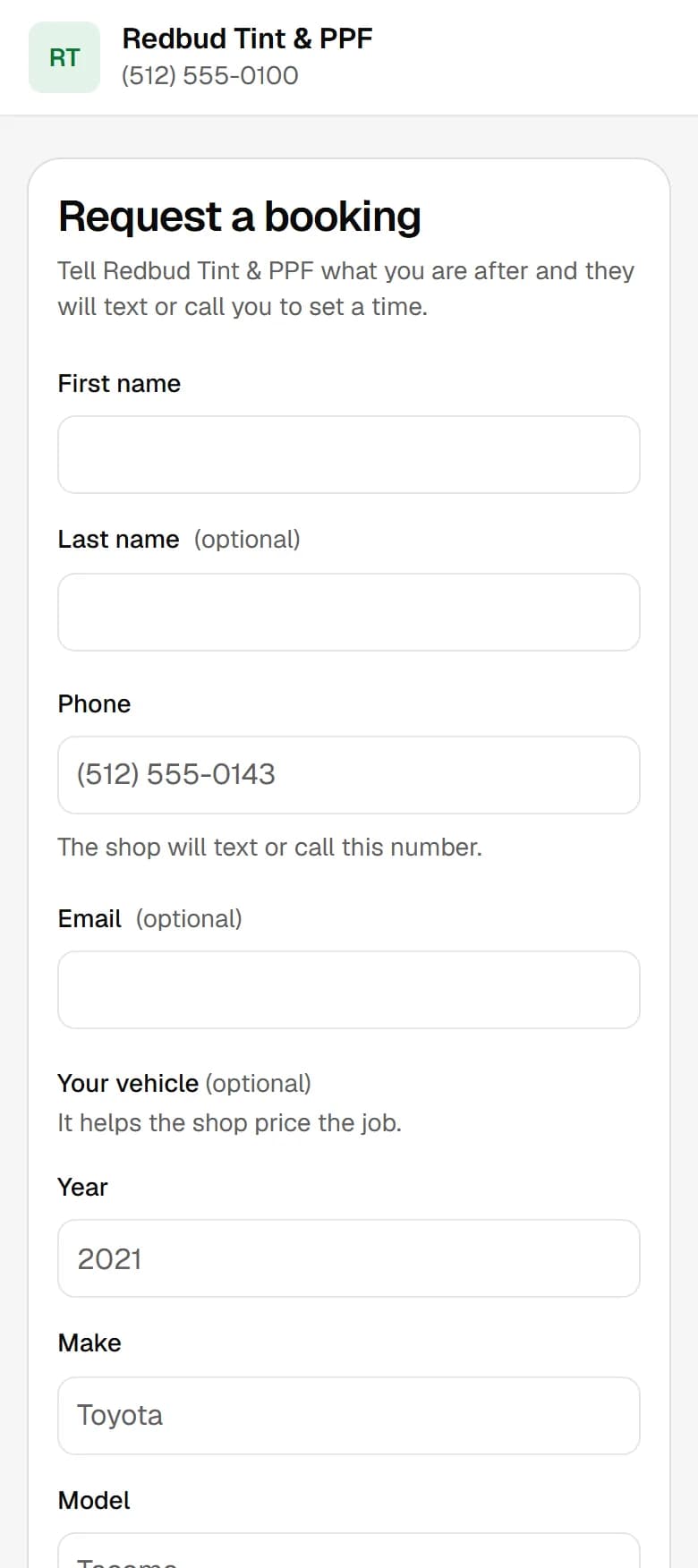
The public booking form on a phone, headed Request a booking: first and last name, phone, optional email and the vehicle fields

How a job moves

The seven steps a job goes through

Jobs move through these in order. These are the same words you will see inside the app.

  1. NewA call, a walk-in or the booking page.
  2. ContactedYou have spoken to them.
  3. Proposal sentUp to three options, sent as a link.
  4. AcceptedThe customer picks an option and signs.
  5. ScheduledOn the calendar with a tech.
  6. DonePhotos taken, notes saved.
  7. PaidInvoice paid at pickup.

Pricing

Three plans. Start free.

Free covers one user and does not expire. Solo adds your booking page. Team adds a login for every tech. No limits on proposals, jobs, customers or invoices.

  • Free

    $0

    One user

    Run the shop on your own.

    • Customers and vehicles
    • Proposals with the signing link
    • Calendar and jobs
    • Invoices and recorded payments
    • The price matrix
    • CSV import
    • Not included. No texting
    • Not included. No booking page
    • Not included. Customer pages carry a small "Powered by TintDeck" line
    Start free on Free
  • Solo

    $49a month

    One user

    Put your own name on customer pages.

    • Everything in Free
    • Texting, not live yet
    • Your public booking page
    • Booking requests land on your pipeline
    • An email when a booking comes in
    • Your logo on customer pages
    • Your colour on customer pages
    • No "Powered by TintDeck" line
    Start free on Solo
  • Team

    Recommended

    $129a month

    Unlimited users

    Give every tech their own login.

    • Everything in Solo
    • A login for every tech
    • Owner and tech roles
    • A colour for each tech on the calendar
    • Assign each job to a tech
    • Texting, not live yet
    • Your public booking page
    • Your logo and colour on customer pages
    • No "Powered by TintDeck" line
    Start free on Team

Billing is not open yet. Every new shop starts on Free. Nothing is locked down yet, so the paid features are switched on for everyone while we finish them. These are the prices billing will charge when it opens. There is no card on file.

Questions

Questions we get asked

Can I get my data out?
Yes. It is your data. Customers, vehicles, leads, proposals, jobs and invoices export as JSON and CSV files. Photos open full size from each job.
Do my techs pay per seat?
Not on Team. $129 a month covers everyone, so another tech or front-desk login does not change the bill. Free and Solo are one login each.
Can I import my customers?
Yes. Export a CSV from whatever you use now, with name, phone, email and vehicle. Upload it, match the columns and check the preview before it imports.
What about texting?
Not live yet. You can write the templates and see what would go out, but nothing sends. It is listed under Solo and Team for when it ships.

Try it on your next job.

Start on Free. Nothing to pay and no card on file.